> ## Documentation Index
> Fetch the complete documentation index at: https://support.locker.io/llms.txt
> Use this file to discover all available pages before exploring further.
# Delete Locker account
> Deleting your Locker account means deleting all your data in Vault, and you can no more log in to your account.
Deleting your Locker account means deleting all your data in Vault, and you can no longer log in to your account.
## Export your data
Before deleting your account, we recommend exporting your Vault data for personal backup.
### On Web Vault or Desktop app
Go to the **Settings** tab → **Import/Export** → **Export Items**.
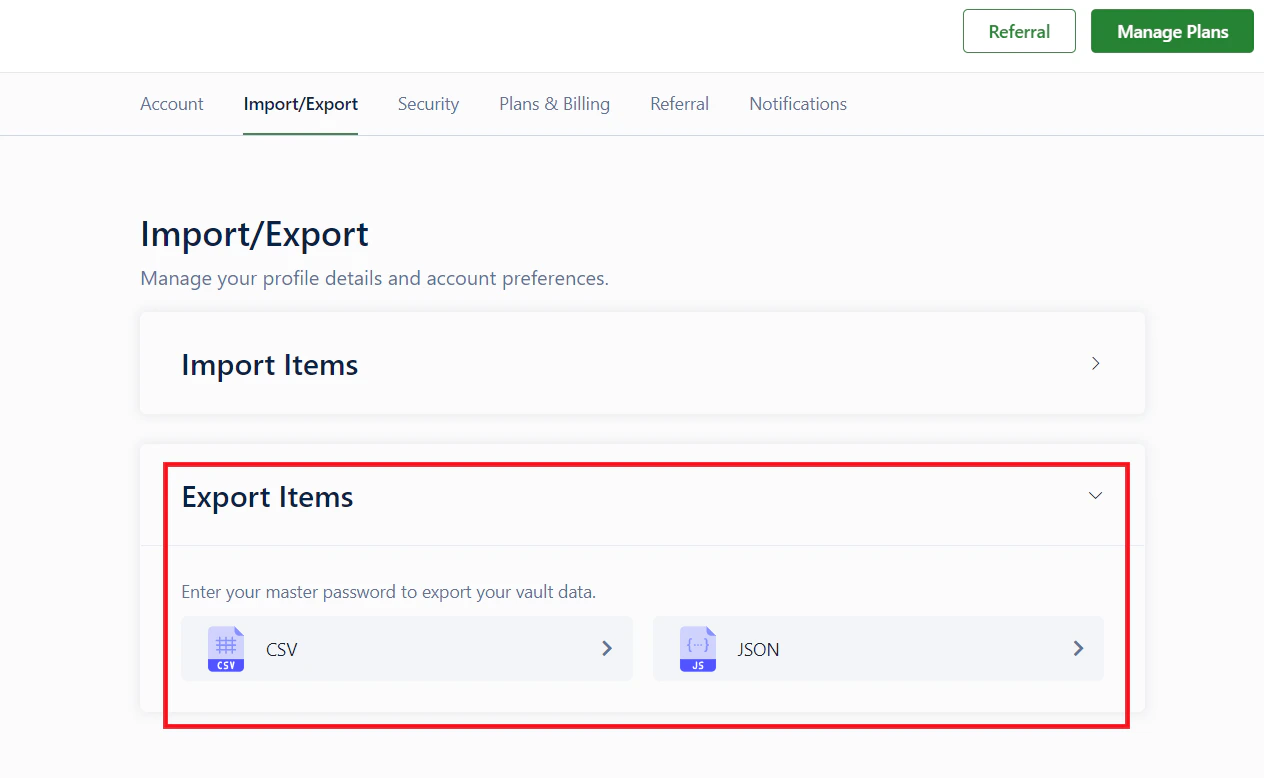 Select whether to export to a `CSV` or `JSON` file, then enter your **Master Password** to confirm and download the file.
### On Locker mobile app
Go to **Menu** → **Settings** → **Export Data**.
Select whether to export to a `CSV` or `JSON` file, then enter your **Master Password** to confirm and download the file.
### On Locker mobile app
Go to **Menu** → **Settings** → **Export Data**.
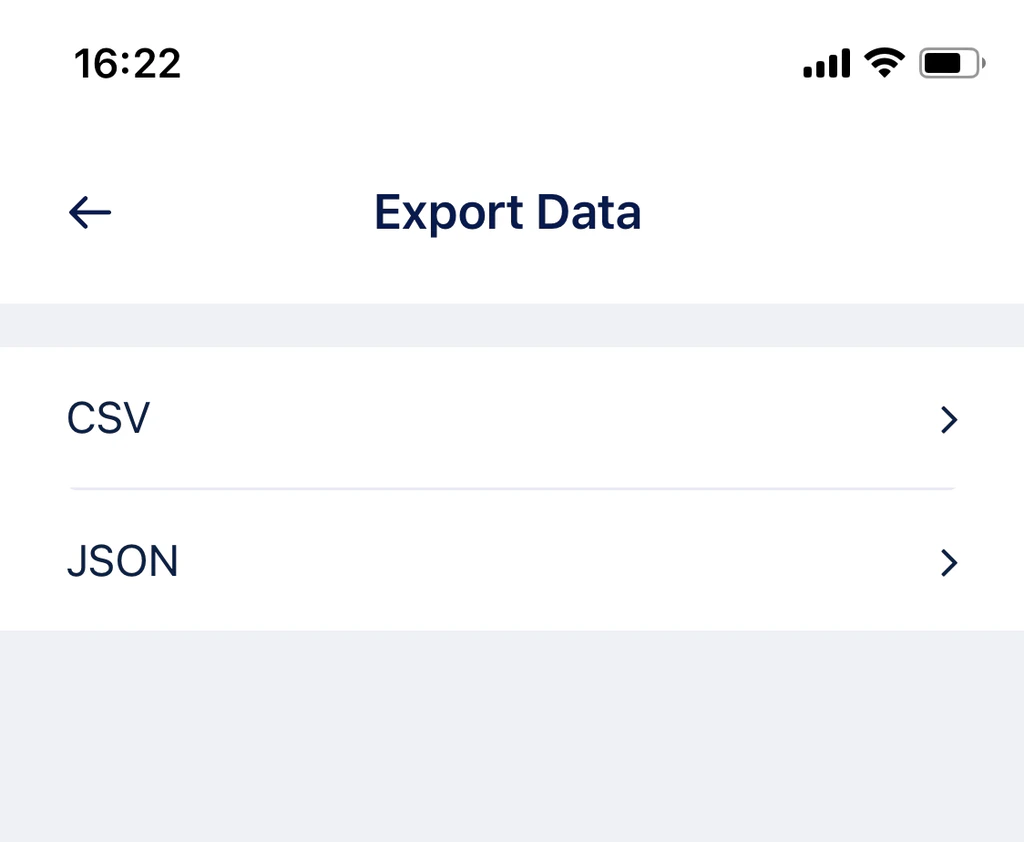 Select the file format and enter your **Master Password** to complete the process.
***
## Delete your account
When you delete your account, you lose access to both Locker and CyStack account services. Your personal data will be permanently deleted.
**Recovery period:** You have **14 days** from the time of deletion to log in and cancel the request if you change your mind.
### From the Vault (Web/Desktop)
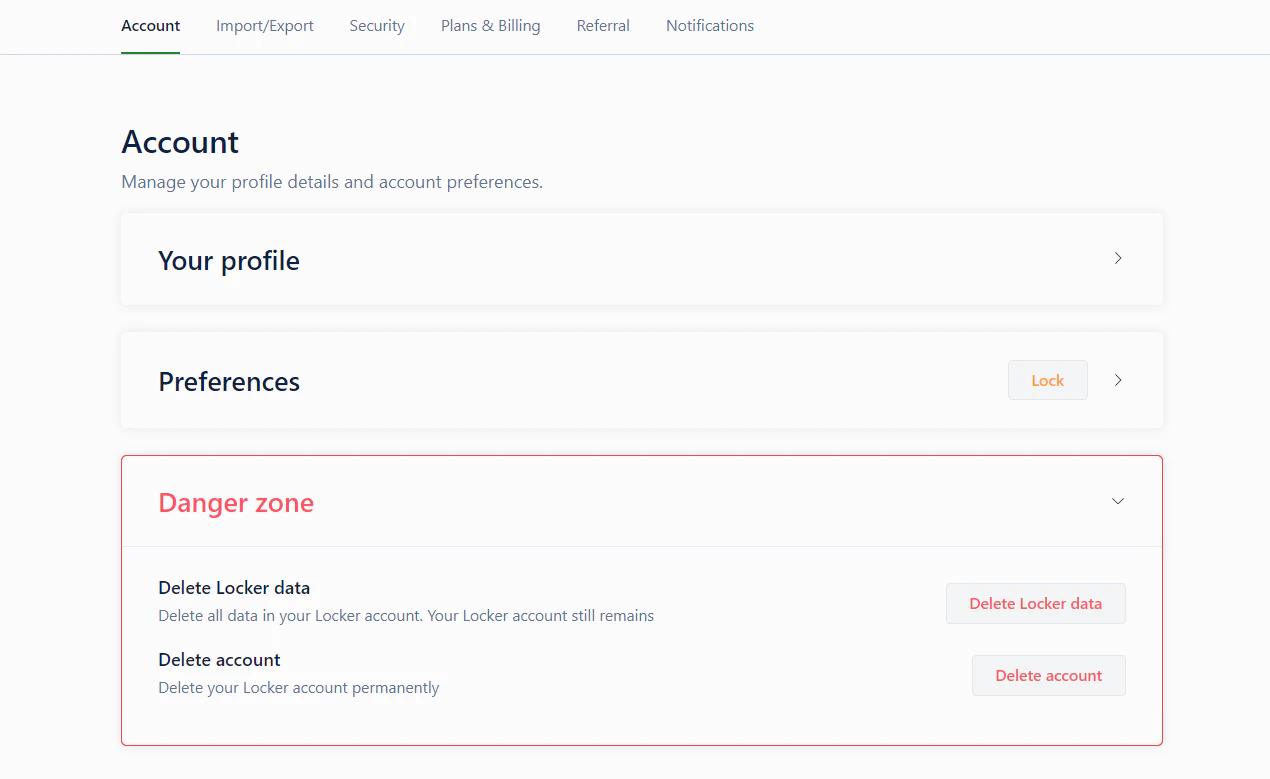
Go to the **Settings** tab → **Account**.
Click on **Danger zone** → choose **Delete account**. Then enter your **Master Password** to confirm.
Select the file format and enter your **Master Password** to complete the process.
***
## Delete your account
When you delete your account, you lose access to both Locker and CyStack account services. Your personal data will be permanently deleted.
**Recovery period:** You have **14 days** from the time of deletion to log in and cancel the request if you change your mind.
### From the Vault (Web/Desktop)
Go to the **Settings** tab → **Account**.
Click on **Danger zone** → choose **Delete account**. Then enter your **Master Password** to confirm.
 ### Deleting the account outside your Vault
If you have forgotten your Master Password, you can delete your account through the account management page to create a new one:
Go to [id.locker.io/login](https://id.locker.io/login) and sign in with your email and password.
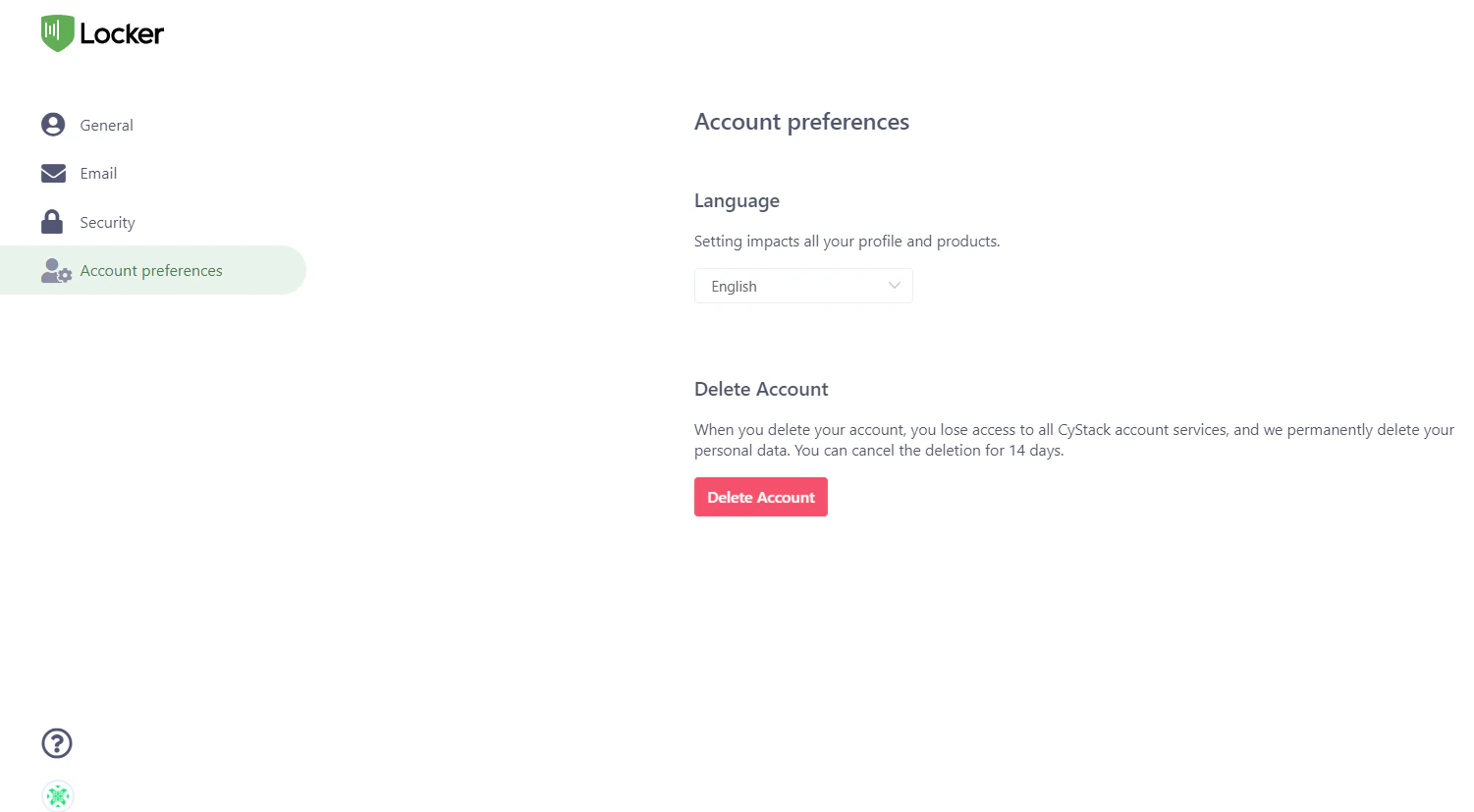
You will be navigated to [id.locker.io](https://id.locker.io/). Click the **Account Preferences** tab.
Click **Delete Account** and follow the on-screen instructions.
### Deleting the account outside your Vault
If you have forgotten your Master Password, you can delete your account through the account management page to create a new one:
Go to [id.locker.io/login](https://id.locker.io/login) and sign in with your email and password.
You will be navigated to [id.locker.io](https://id.locker.io/). Click the **Account Preferences** tab.
Click **Delete Account** and follow the on-screen instructions.
 Enter your Password (Login Password) to confirm the deletion request.
## Have a second thought?
We are sorry to see you go. If you are having any unhappy experience with Locker, let us hear you and help solve your problem [here](https://cystack.typeform.com/to/YTUaD1sL?typeform-source=locker.io).
Your feedback is valuable to us!
Enter your Password (Login Password) to confirm the deletion request.
## Have a second thought?
We are sorry to see you go. If you are having any unhappy experience with Locker, let us hear you and help solve your problem [here](https://cystack.typeform.com/to/YTUaD1sL?typeform-source=locker.io).
Your feedback is valuable to us!