> ## Documentation Index
> Fetch the complete documentation index at: https://support.locker.io/llms.txt
> Use this file to discover all available pages before exploring further.
# Supported languages
> Locker provides services in two languages and is going to support multiple languages.
Locker provides services in two languages and is going to support multiple languages. The languages that are currently supported include:
* English (default)
* Vietnamese
You can change the language as you browse some of the areas.
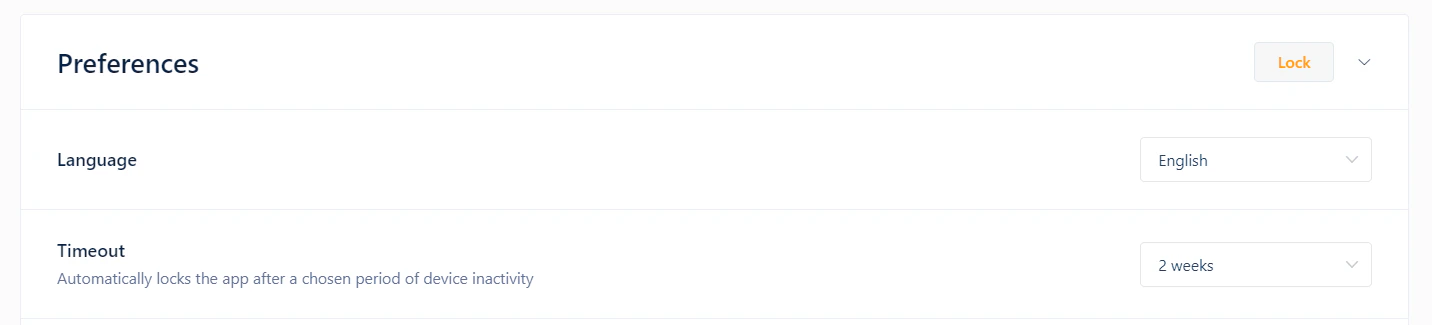
## On Locker web app or Desktop app
Click on tab **Settings** > **Account** > **Language**, then choose your preferred language.
 ## On Locker mobile app
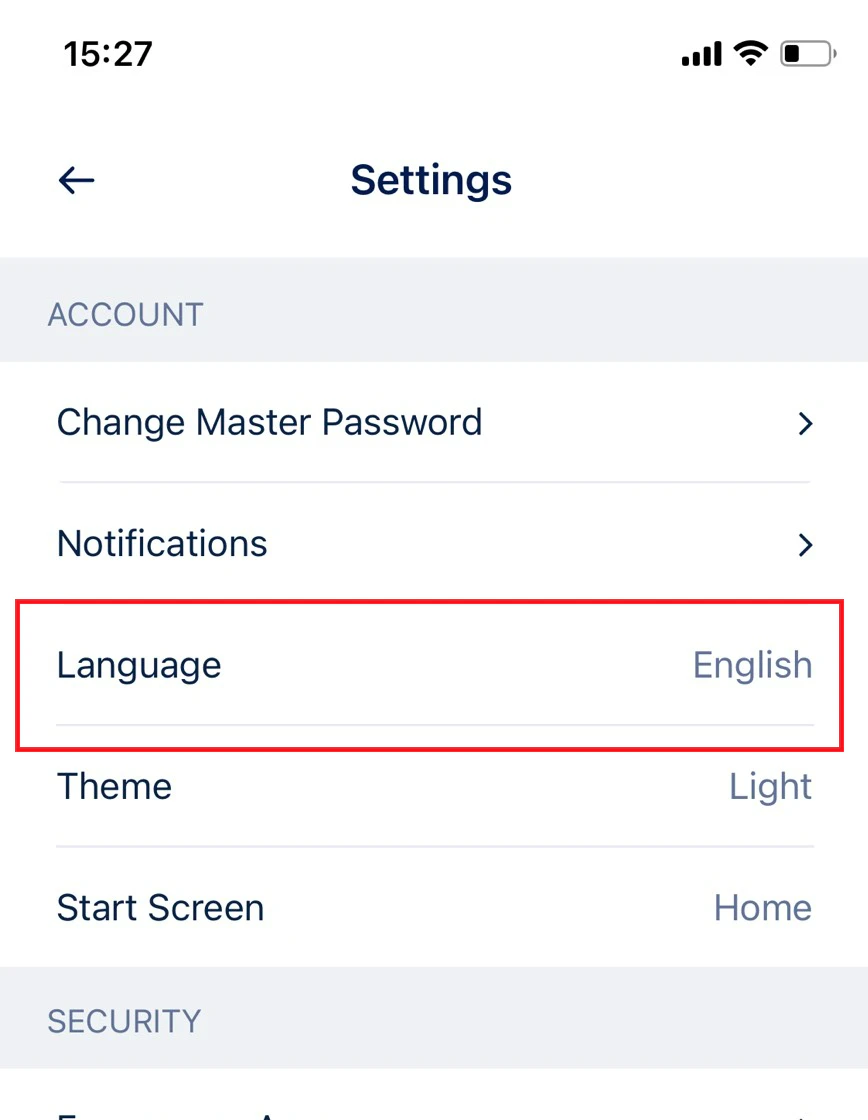
Click on tab **Menu** > **Settings** > **Language**, then choose your preferred language.
## On Locker mobile app
Click on tab **Menu** > **Settings** > **Language**, then choose your preferred language.
 ## On corporate website
Go to the site map at the bottom of the Locker website, you will see the list of supported languages. Choose your preferred language.
You can browse our website, Help Center or connect with our Customer Support team in the supported language you're most comfortable with. Locker Customer Support agents are ready to help you with any issue and answer your questions in two languages:
* English
* Vietnamese
## On corporate website
Go to the site map at the bottom of the Locker website, you will see the list of supported languages. Choose your preferred language.
You can browse our website, Help Center or connect with our Customer Support team in the supported language you're most comfortable with. Locker Customer Support agents are ready to help you with any issue and answer your questions in two languages:
* English
* Vietnamese