> ## Documentation Index
> Fetch the complete documentation index at: https://support.locker.io/llms.txt
> Use this file to discover all available pages before exploring further.
# Organization Initialization
> How organization encryption keys are created and stored.
## Organization Initialization
When a Locker user creates an Organization to share data, the following tasks are performed:
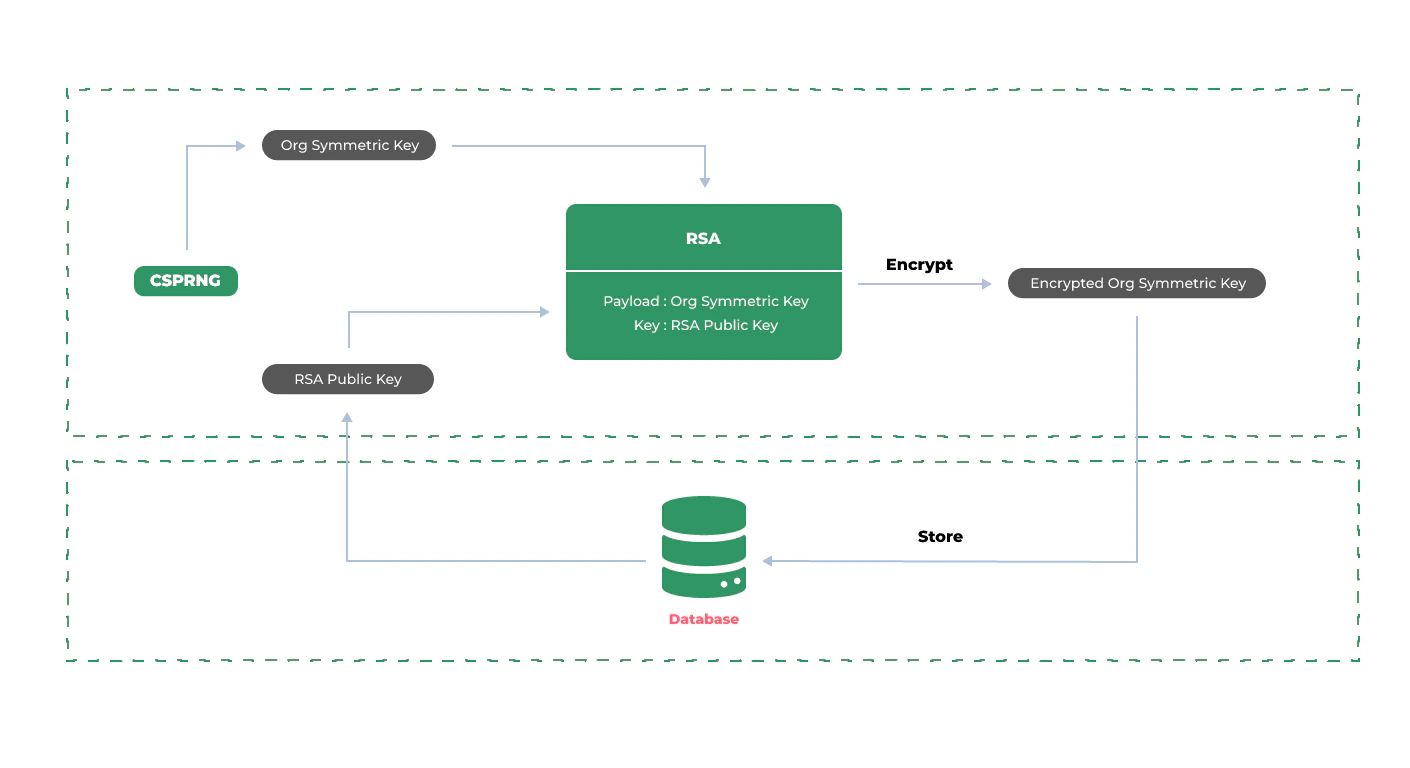
* The Client generates the **Org Symmetric Key** encryption key for that Organization using the [CSPRNG Random Number Generation Algorithm](/en/locker-whitepaper/security-fundamentals/cryptographically-secure-pseudorandom-number-generator).
* The Org Symmetric Key is encrypted using the [AES-256-CBC Encryption Algorithm](/en/locker-whitepaper/security-fundamentals/aes-256-cbc-encryption) with the RSA Public Key stored during [account registration](/en/locker-whitepaper/encryption-and-decryption/account-registration) as the key.
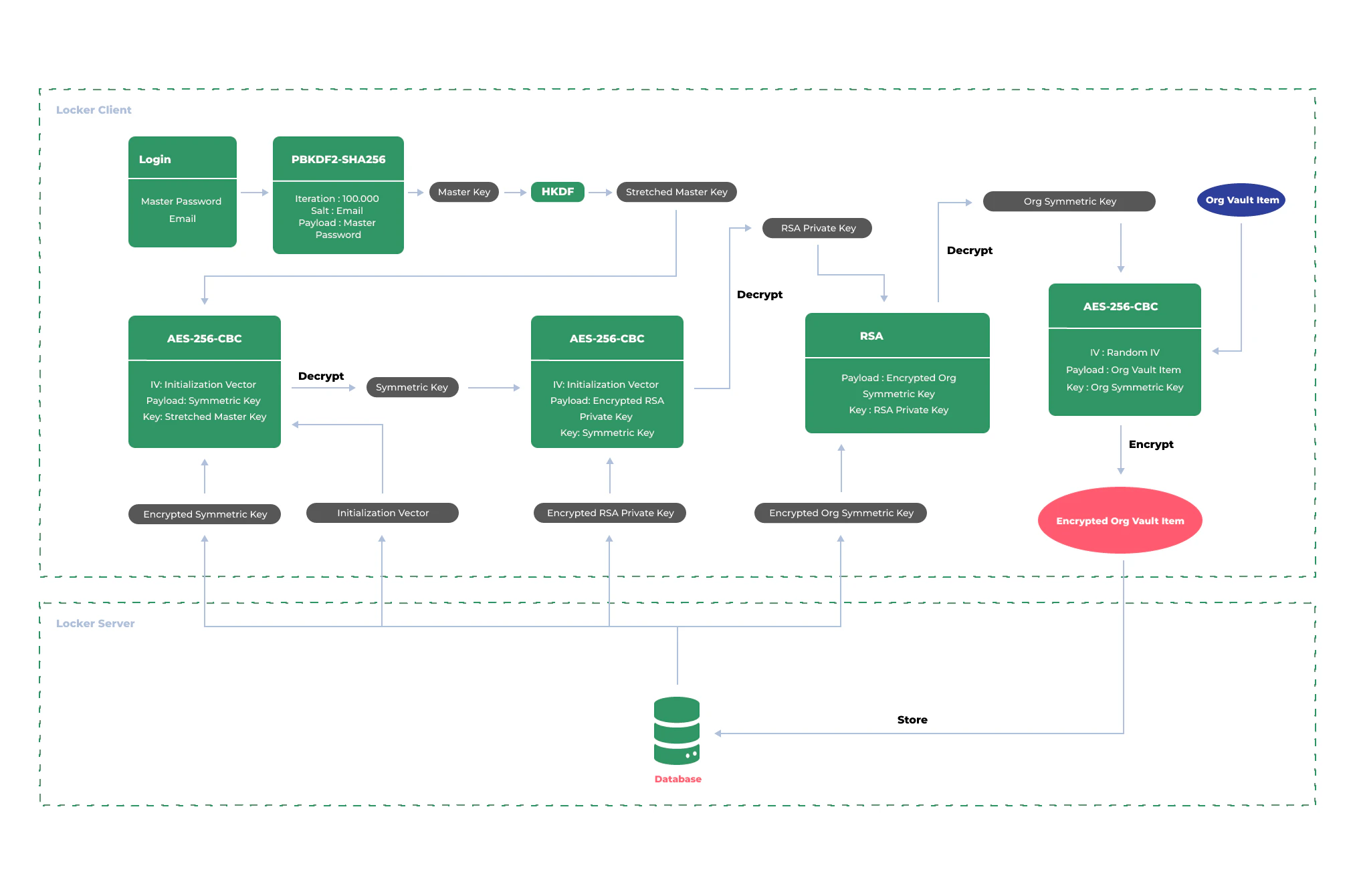
* Organization data is then encrypted and decrypted using the **Org Symmetric Key** with the [AES-256-CBC Encryption Algorithm](/en/locker-whitepaper/security-fundamentals/aes-256-cbc-encryption).
The following diagram describes the process of creating and storing the **Org Symmetric Key**.
 The diagram below describes in detail the encryption flow of **Org Vault Item** data within the Organization.