Account Registration
At Locker, the account creation process consists of 2 main stages:- Basic Account Creation
- Create the Master Password.
Basic Account Creation
In this step, users will be asked to enter basic information including: Email, account password, and some other personal information. Users can also create an account through the OAuth methods we provide, including Google, Facebook, GitHub, or AppleID.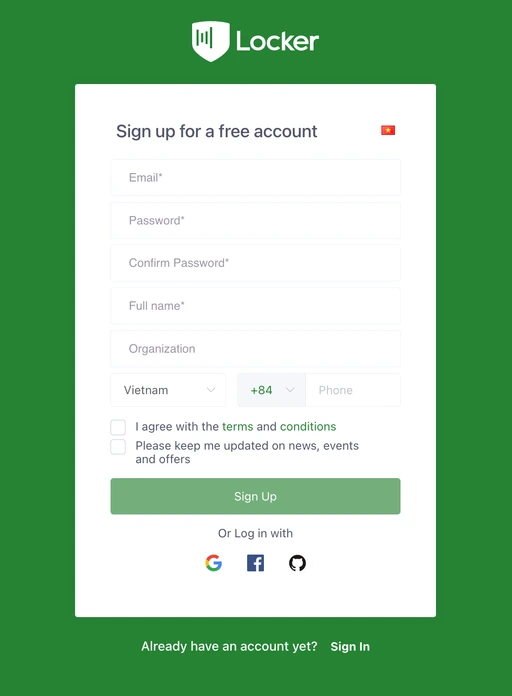
Create the Master Password
Master Password is the key to encrypting and decrypting all user data in Locker. It is important to distinguish between the Master Password and the Account Password created in the previous step. While the Account Password is used for outer authentication, does not participate in the data encryption process, and can be reset, the Master Password is used in all encryption and decryption processes; importantly, the Master Password cannot be recovered if the user forgets it.Creating and Storing Encryption Keys
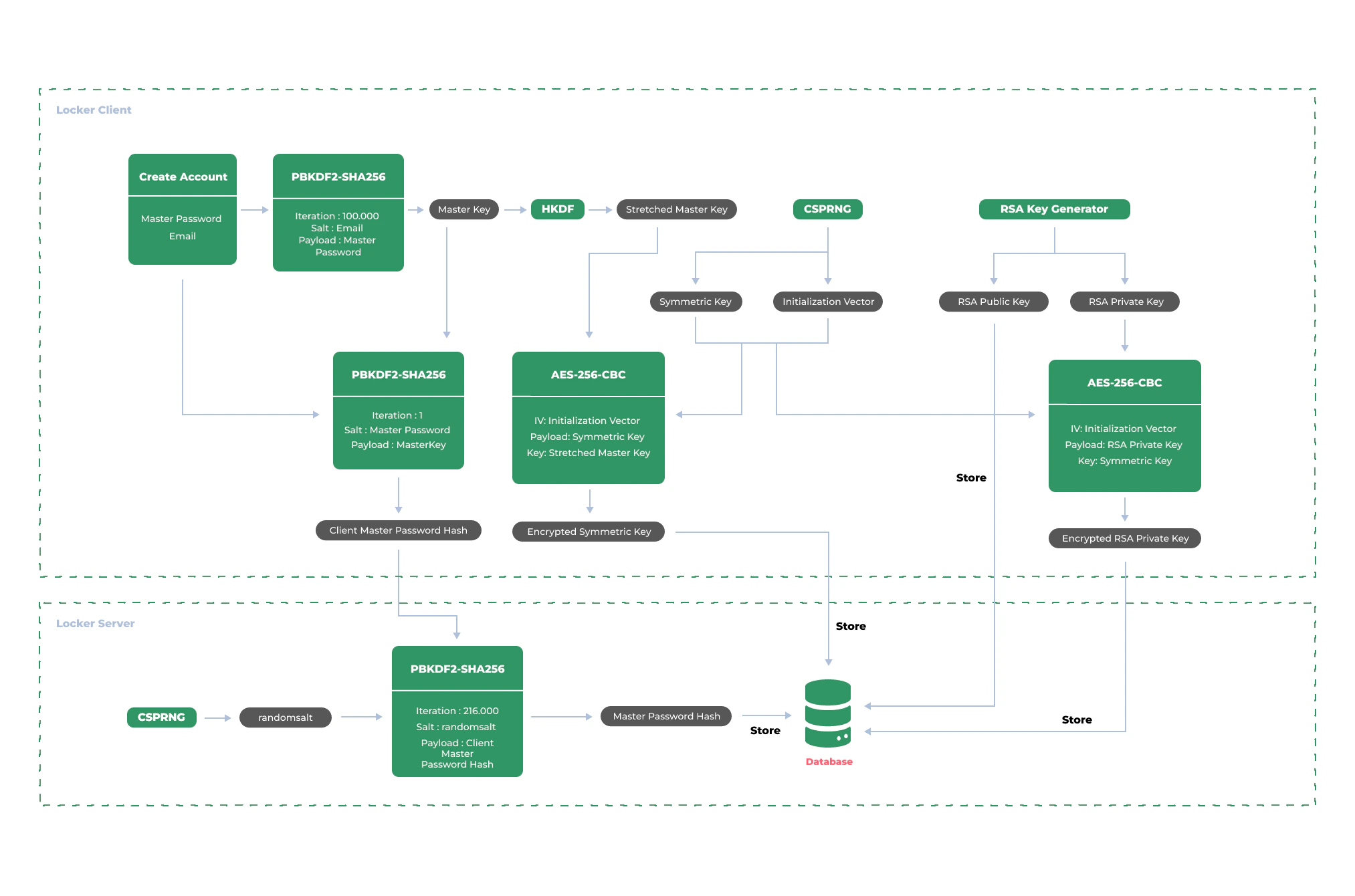
Locker uses the PBKDF2 Key Derivation Algorithm with a default iteration count of 100,000 to expand the Master Password with the user’s Email address as the salt. The resulting value is a 256-bit Master Key. The Master Key is then further expanded to 512 bits into a Stretched Master Key using the HMAC-based Extract-and-Expand Key Derivation Function (HKDF) algorithm.The Master Key and Stretched Master Key are never transmitted to or stored on Locker servers.