Learn how to receive and reply to emails sent to your email alias in Maily without revealing your real identity.
Email aliases in Maily do not have their own inbox, so all emails sent to an alias will be forwarded to your root email address. You can reply to those emails from your real email without revealing your actual identity.
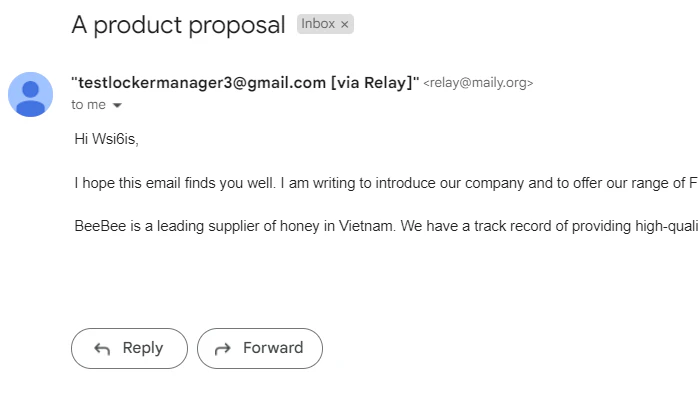
When an email is sent to your alias, it will be automatically forwarded to your real email address. You will see the email in your inbox with the sender information displayed through the Maily relay address.
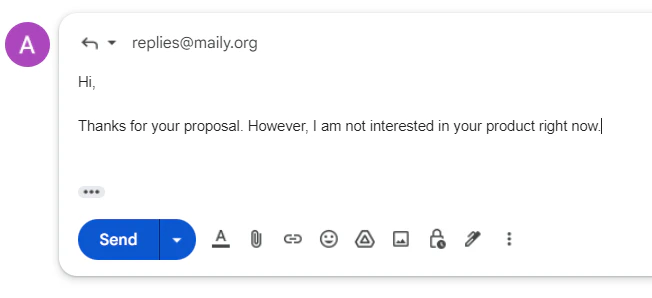
If you want to reply to the email, click the Reply button. Then type your email content and click Send.
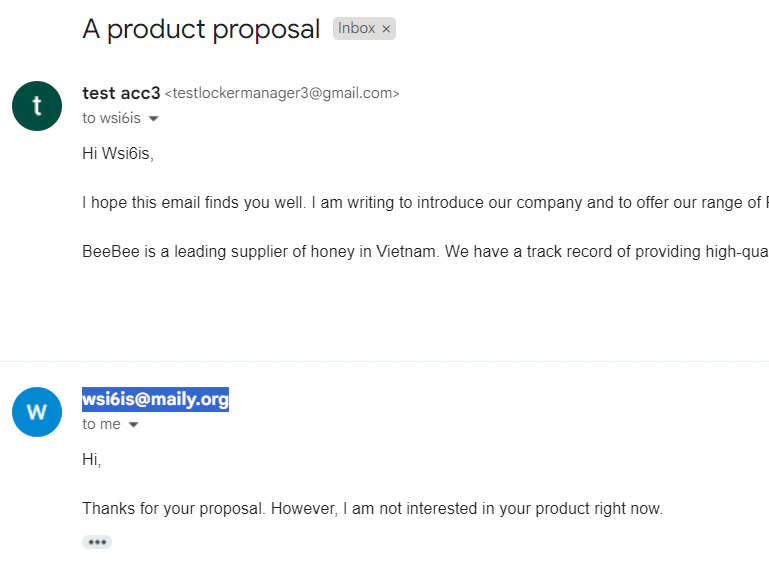
The recipient will receive the email from an @maily address, not from your real email address.
You can only reply to each incoming email with a single email. If you attempt to reply to an incoming email with multiple emails, the second reply and beyond will not be sent.